Concurrency vs. Parallelism in Python
A comparison of concurrency and parallelism, with Python examples using threading, multiprocessing, and asyncio.
 Chih-han ChungSoftware Engineer
On this page
Concurrency vs. Parallelism in Python
An interview question got me thinking about how concurrency and parallelism differ, and when each one helps.
ByteByteGo's video explains the distinction well. This screenshot is from the video.
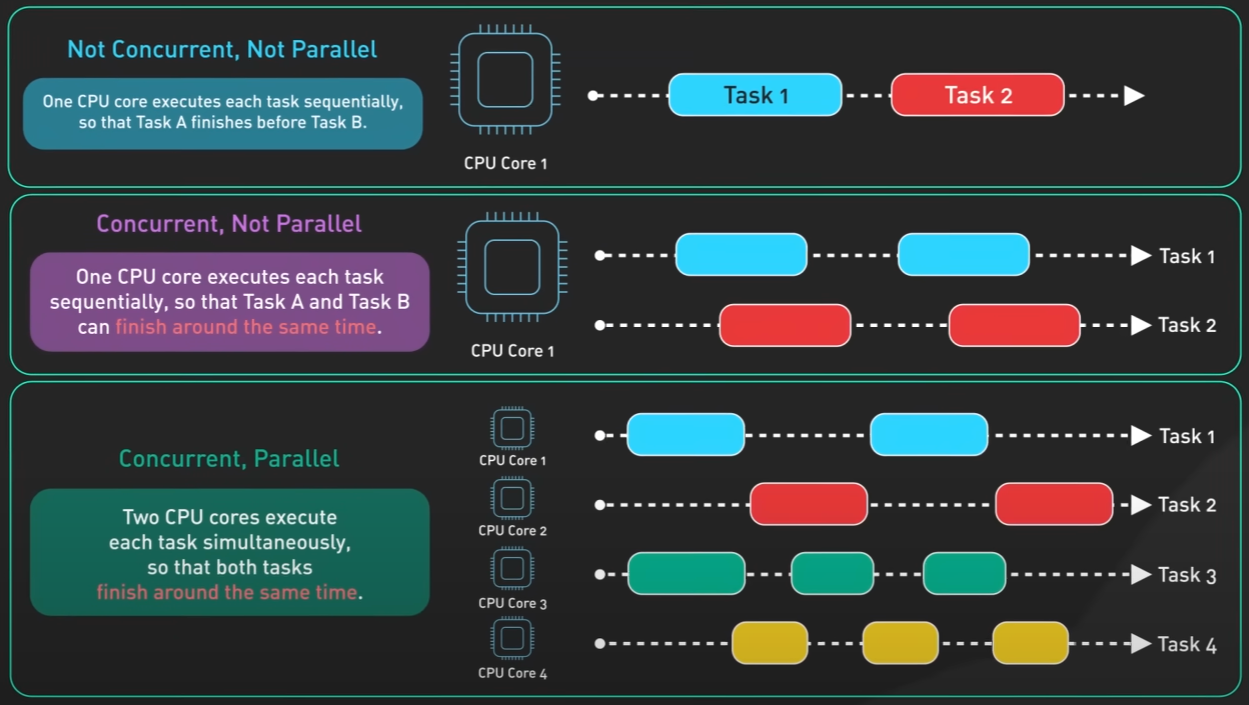
- Concurrency means making progress on multiple tasks over the same period. A single core can do this by interleaving their execution.
- Parallelism means executing multiple tasks at the same instant, for example on separate CPU cores.
Imagine a chef alternating between stirring soup and frying eggs. That's concurrency. With two chefs cooking different dishes at the same time, you have parallelism.
What kind of work are you doing?
- I/O-bound work spends most of its time waiting on disk, network, or database operations. The CPU can do other work while those operations finish.
- CPU-bound work spends most of its time computing. Examples include video encoding, encryption, and scientific calculations.
NOTE
Real workloads often mix both. Look at which kind of work takes up most of the time before choosing a strategy.
Python tools and when to use them
| Tool | Best suited to | Runs on multiple cores? | Can run Python work in parallel? | Notes |
|---|---|---|---|---|
threading | I/O-bound work | Not for simultaneous Python bytecode in standard CPython builds with the GIL | Limited by the GIL | Can overlap I/O waits |
multiprocessing | CPU-bound work | Yes | Yes | Each process has its own memory |
Examples
I/O-bound work with threads
import threading
import time

def download_file(name):
    print(f"{name} 開始下載...")
    time.sleep(2)  # 模擬等待下載
    print(f"{name} 下載完成")

start = time.time()

t1 = threading.Thread(target=download_file, args=("檔案1",))
t2 = threading.Thread(target=download_file, args=("檔案2",))
t1.start(); t2.start()
t1.join(); t2.join()

end = time.time()
print(f"總共耗時:{end - start:.2f} 秒")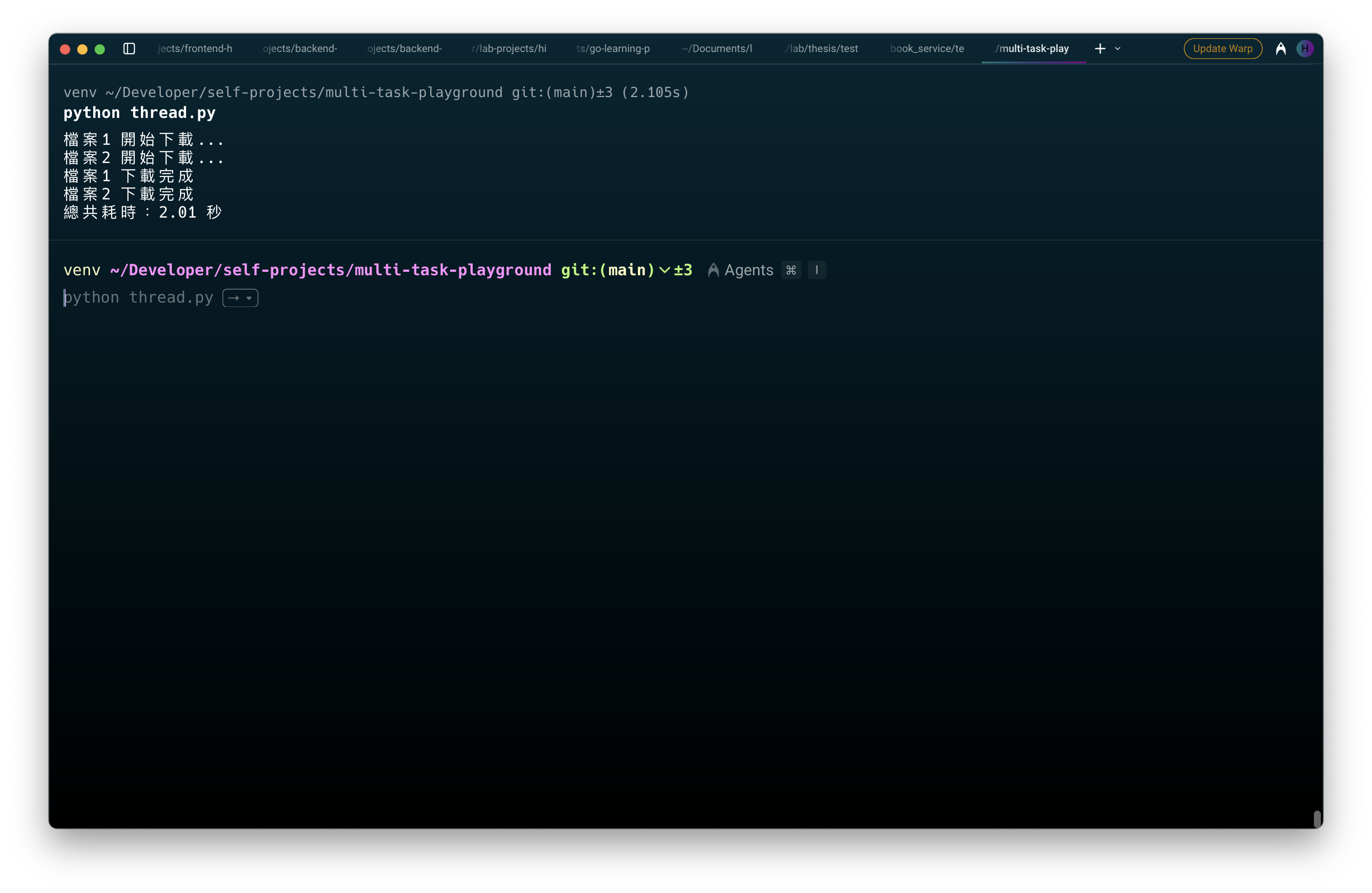
Here's a timeline of what happened in this example.
時間軸 → → → → → → → → → →
任務1: ███░░░███░░░███             (執行 -> 等待 -> 執行 -> 等待 -> 執行)
任務2:    ███░░░███░░░███          (稍後開始,也是交錯等待)
總耗時: 約 2 秒(兩任務重疊等待,不需等待兩次)CPU-bound work with multiprocessing
from multiprocessing import Process
import time

def heavy_calculation(name):
    print(f"{name} 開始計算...")
    total = sum(range(10**7))
    print(f"{name} 計算完成,總和為 {total}")

if __name__ == "__main__":
    start = time.time()

    p1 = Process(target=heavy_calculation, args=("任務1",))
    p2 = Process(target=heavy_calculation, args=("任務2",))

    p1.start()
    p2.start()
    p1.join()
    p2.join()

    end = time.time()
    print(f"總共耗時:{end - start:.2f} 秒")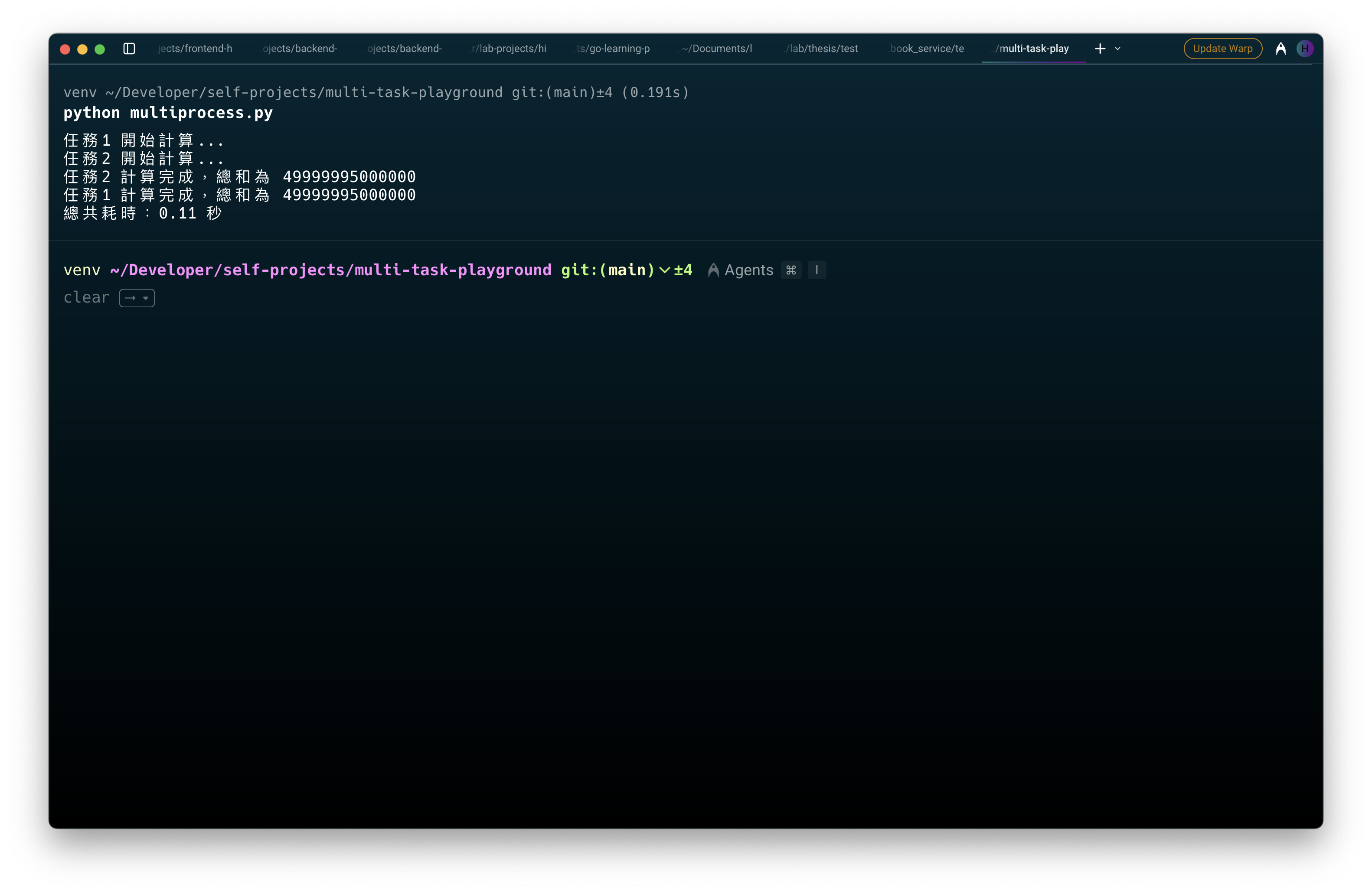
Here's the corresponding timeline.
時間軸 → → → → → → → → →
任務1: █████████████████          (密集 CPU 計算不中斷)
任務2: █████████████████          (另一顆核心同時運行)
總耗時: 約 ? 秒(依照實際程式碼計算程度而定)What if we use threads for CPU-bound work?
The examples assume a standard CPython build with the Global Interpreter Lock (GIL). Multiple threads can take turns, but only one thread executes Python bytecode at a time. Switching between them adds overhead to CPU-bound work.
NOTE
Why does CPython use the GIL?
The GIL simplifies parts of the interpreter's memory management and threading model.
Reference counting
- CPython uses reference counts to keep track of references to an object.
- Simultaneous updates to a reference count can create race conditions unless they're coordinated.
- A global lock serializes these operations in a standard GIL-enabled build.
What if we use multiprocessing for I/O-bound work?
Processes can also wait on I/O concurrently. Each process has its own Python interpreter, so the GIL does not prevent different processes from making progress. Starting processes, managing separate memory, and serializing data all add overhead. For work dominated by waiting, threads are usually a lighter option.
How does asyncio fit in?
asyncio offers another way to handle concurrent I/O. It runs coroutines on an event loop.
Example
import asyncio

async def download_file(name):
    print(f"{name} 開始下載...")
    await asyncio.sleep(2)  # 非同步等待
    print(f"{name} 下載完成")

async def main():
    await asyncio.gather(
        download_file("檔案1"),
        download_file("檔案2")
    )

asyncio.run(main())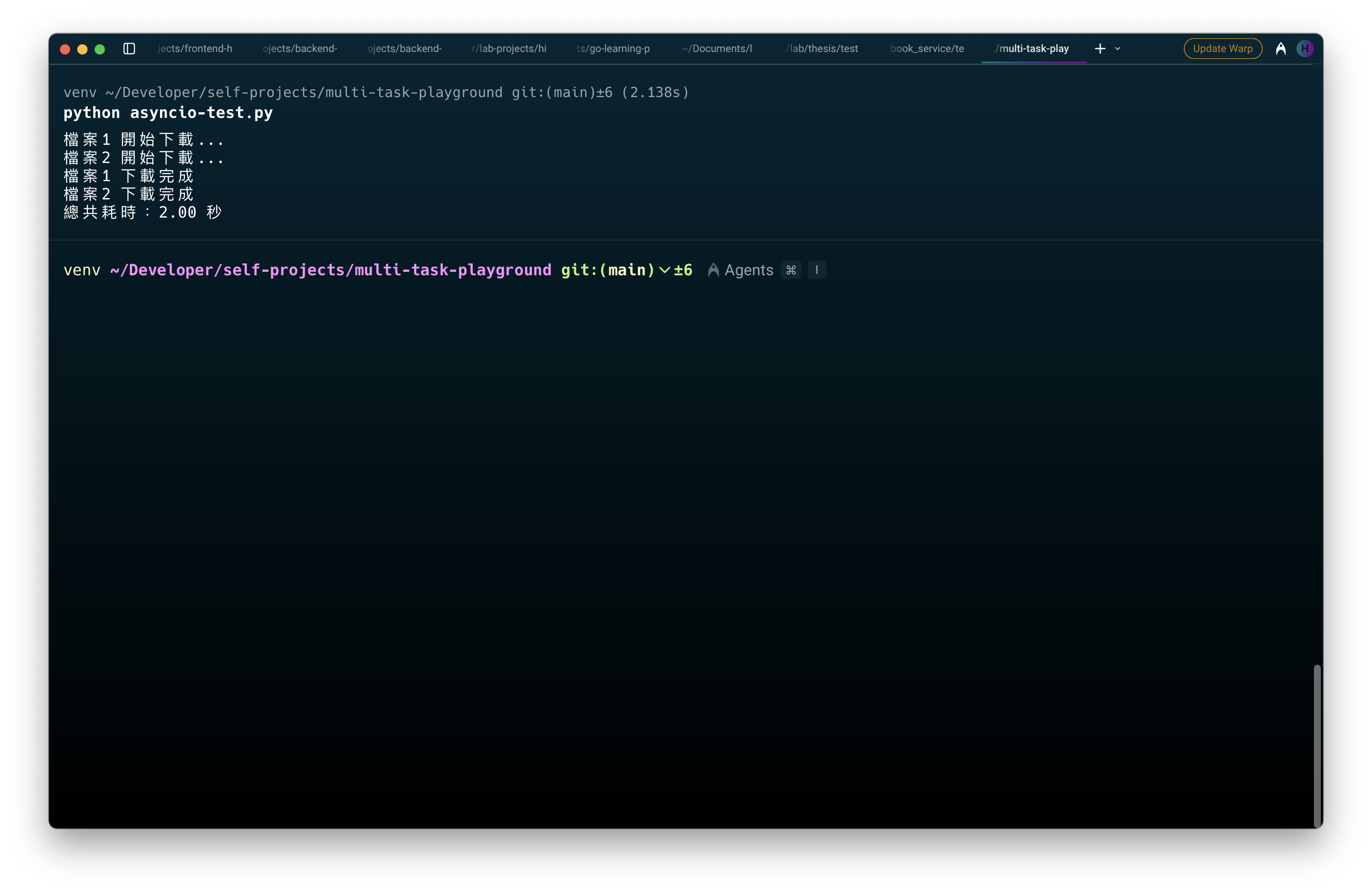
Here's how the work is interleaved.
時間軸 → → → → → → → → → →
任務1: ███░░░░░░░░░░███             (開始後馬上 await,直到結束)
任務2:  ███░░░░░░░░░░███            (幾乎同時開始,也 await,直到結束)
總耗時: 約 2 秒- Coroutines yield control to the event loop when they await an operation.
- Both tasks can start and finish close together because one coroutine can make progress while the other waits.
- CPU-bound work still occupies the event loop until it yields or completes.
Choosing a tool
| Workload | Option | Why |
|---|---|---|
| I/O-bound | threading or asyncio | Other tasks can run during an I/O wait |
| Many lightweight I/O tasks | asyncio | The event loop schedules coroutines without a separate thread for each task |
| CPU-bound | multiprocessing | Processes can run Python work across multiple cores |
| Mixed | Combine strategies | concurrent.futures provides thread and process executors |