Golang Learning Journey
Notes from my first steps with Go, from installing it to writing and compiling a small program.
 Chih-han ChungSoftware Engineer
On this page
Golang Learning Journey
I've been learning Terraform, which got me interested in Go. These are my notes from the first part of that journey.
Introduction
- Go is the language's name. You'll also see it called Golang.
- Google developed Go as a statically typed, compiled language with garbage collection and built-in support for concurrency.
- It compiles to native machine code and supports Windows, macOS, and Linux.
- Goroutines are lightweight concurrent tasks, and channels let those tasks communicate.
Typical use cases
Network services and backend development
Go works well for Web APIs and microservices that handle many simultaneous connections and requests. Docker, Kubernetes, and large backend services are examples from this ecosystem.
Distributed systems and cloud infrastructure
Go is common in cloud and container tooling because it combines performance with straightforward deployment.
- Terraform
- Prometheus
- etcd, a distributed key-value store
Command-line tools and automation
A Go build can produce a single binary that is easy to distribute. That makes it a good fit for command-line tools and automation.
- Hugo, a static site generator
- Cobra, a framework for building command-line tools
Installation
-
Download the package for your operating system from the Go installation guide.
-
Check your Go version after installing it.
go versionBash
Example program
Create a file named main.go
package main

import "fmt"
func main(){
	fmt.Print("Hello, World!")
}Run the file
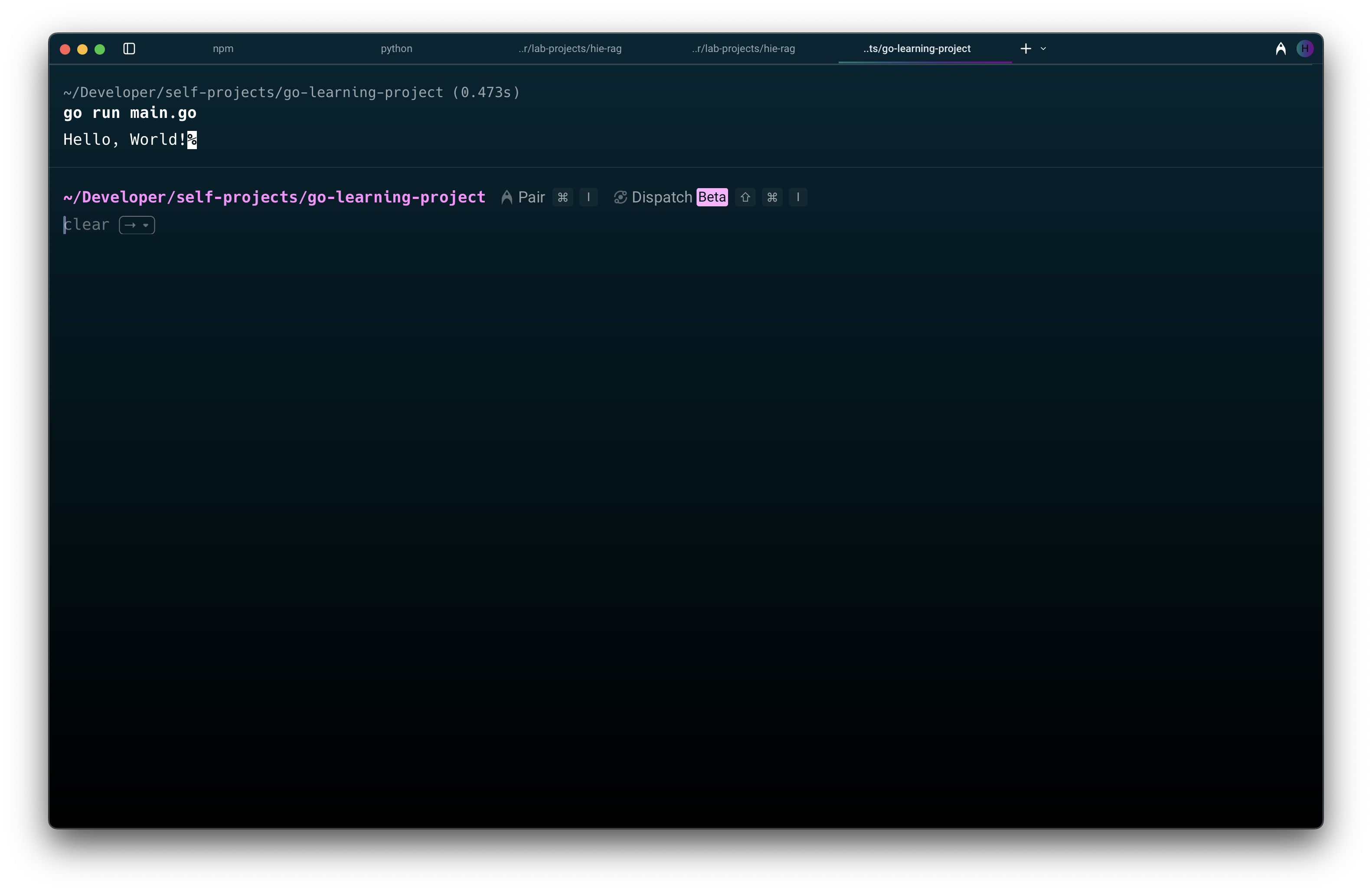
go run main.goYou should see the following output.
Read the example line by line
package mainThis declares that the file belongs to the main package. An executable Go program starts at the main function in this package.
import "fmt"This imports fmt, the standard library package that provides formatted input and output, including printing to a terminal.
func main(){This declares the program's entry point. Go starts execution in main.main().
fmt.Print("Hello, World!")This calls fmt.Print to write Hello, World! to the terminal. Print leaves the cursor on the same line because the string has no newline.
}This closes the main function.
Packages
- A package groups related
.gofiles that implement a feature or set of features. - Each Go source file starts with a package declaration.
- Packages help organize reusable code. Other packages can import the exported names they need.
- Package boundaries also control visibility.
A small example
// hello.go
package greeting

func SayHello() string {
    return "Hello, Go!"
}import "your_module_path/greeting"
func main() {
fmt.Println(greeting.SayHello())
}Build an executable
go build hello.goThe build produces hello on Linux or macOS and hello.exe on Windows in the current directory. You can run the binary on the target machine without installing Go there.
```bash
./hello
```