Managing Python Versions and Virtual Environments with pyenv
Set up pyenv and pyenv-virtualenv on macOS to switch Python versions and activate project environments automatically.
 Chih-han ChungSoftware Engineer
On this page
Managing Python Versions and Virtual Environments with pyenv
While setting up a new computer, I needed to install Python. I used to run
python -m venv venvfor each project. This time I tried managing Python versions and virtual environments with pyenv and pyenv-virtualenv, so I wrote down the setup.
Installation and basic configuration
Install pyenv and pyenv-virtualenv
Use Homebrew to install the core tool and the virtual environment plugin.
brew install pyenv
brew install pyenv-virtualenvInitialize pyenv in Zsh
Add the initialization commands to ~/.zshrc so pyenv can switch Python versions and pyenv-virtualenv can activate and deactivate environments automatically.
Add these lines to ~/.zshrc
# PYENV / PYENV-VIRTUALENV 初始化
export PYENV_ROOT="$HOME/.pyenv"
command -v pyenv >/dev/null || export PATH="$PYENV_ROOT/bin:$PATH"
eval "$(pyenv init -)"
eval "$(pyenv virtualenv-init -)"WARNING
If you use Powerlevel10k like I do, check where you put these commands.
Load your shell configuration first, and make sure pyenv init runs before pyenv virtualenv-init.
I usually place them after source $ZSH/oh-my-zsh.sh and before [[ ! -f ~/.p10k.zsh ]] || source ~/.p10k.zsh.
Apply the configuration
Save the file, then reload it.
source ~/.zshrcCreate and use a virtual environment
Install a Python version
Install a base Python version before creating an environment.
pyenv install 3.13.0NOTE
Install any version you want.
Create a virtual environment
Create an environment named venv from the Python version you just installed.
pyenv virtualenv <Python Version> <Virtual Environment Name>NOTE
I use venv for the example. For real projects, use a name such as my-blog-api-env or testing-sandbox-env because environment names must be unique.
pyenv virtualenv 3.13.0 venvBash
NOTE
The command stores the environment under pyenv, for example at ~/.pyenv/versions/3.13.0/envs/venv. The current project folder stays empty.
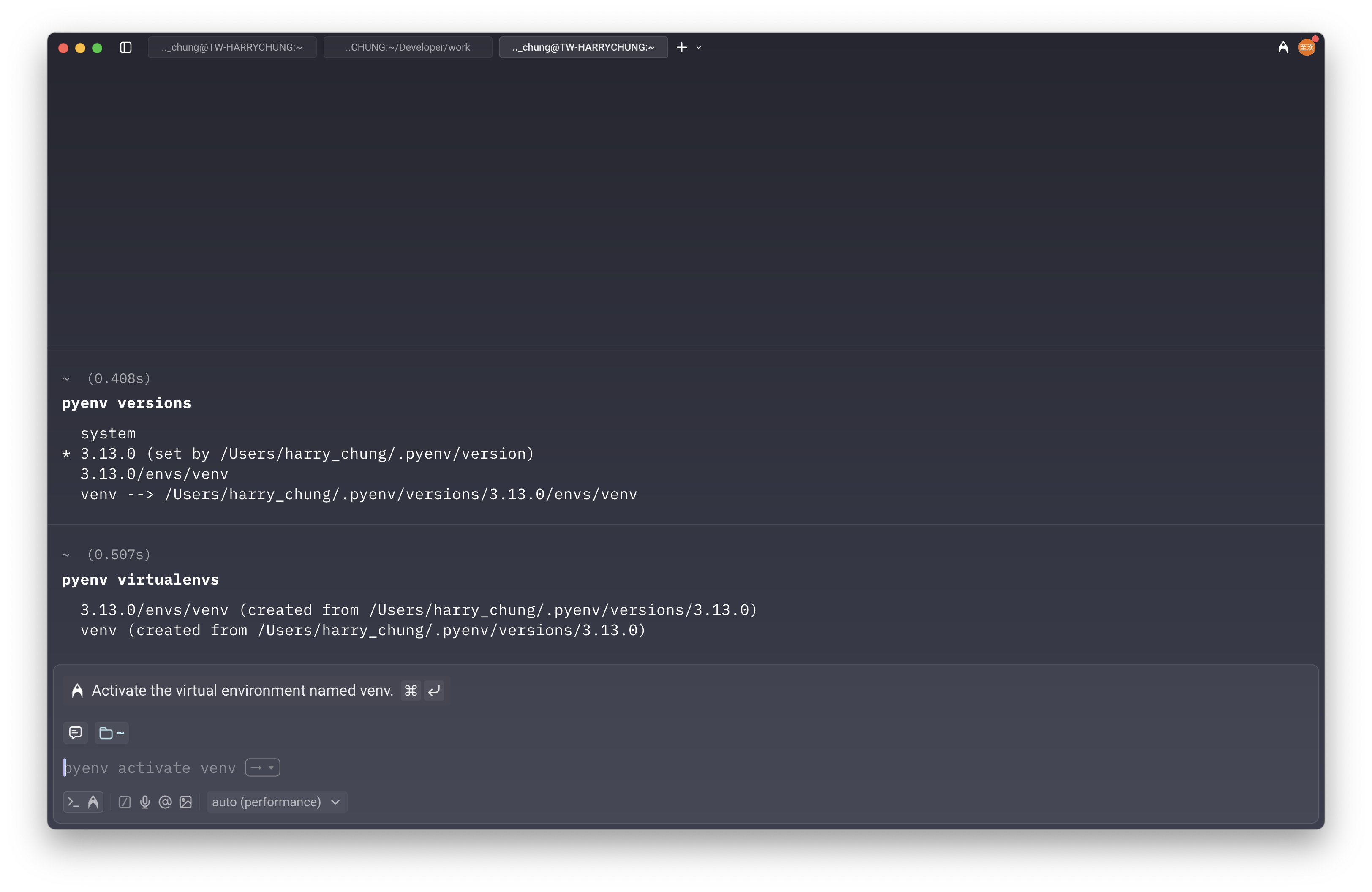
List your environments
List installed Python versions and virtual environments together.
pyenv versionsOr list only the virtual environments.
pyenv virtualenvsNOTE
The output includes the base version, such as 3.13.0, and the environment name, such as venv.
Link an environment to a project
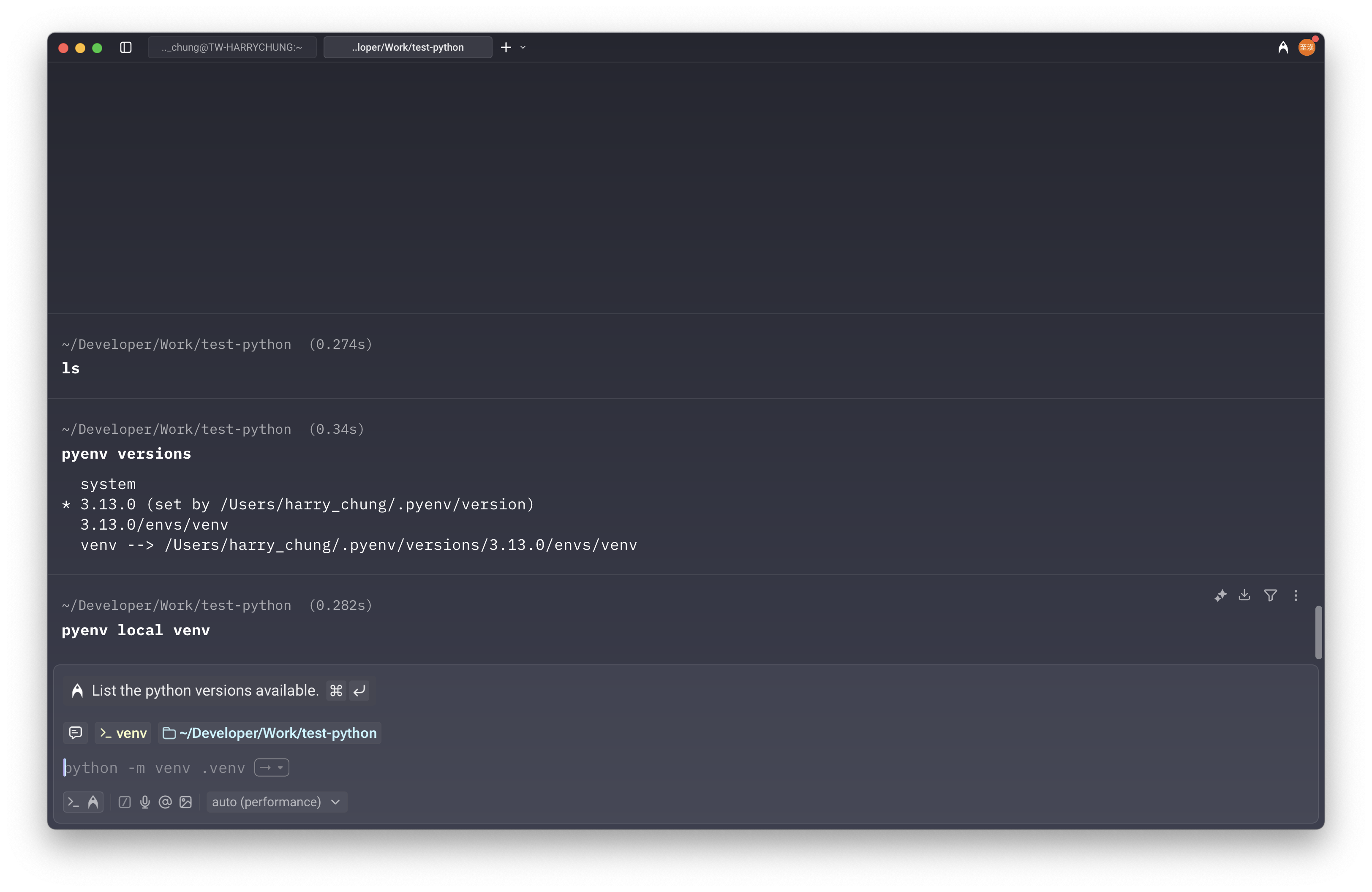
From the project directory, run pyenv local to associate that directory with a particular virtual environment.
cd /path/to/your/project
pyenv local venv- This example uses the
venvenvironment created earlier. - The command writes a hidden
.python-versionfile in the project directory withvenvas its contents. - With
pyenv virtualenv-initconfigured, entering the directory activates the environment. Your prompt shows(venv).
TIP
pyenv checks the shell setting first, then the local setting, then the global setting.
pyenv shell <version>applies to the current terminal session and setsPYENV_VERSION.pyenv local <version>applies to the directory and its descendants through the project's.python-versionfile.pyenv global <version>is the default when neither setting applies. pyenv stores it in$(pyenv root)/version.
Manage and remove environments
Deactivate the environment
-
Automatically. Leave the project directory, for example with
cd ... -
Manually. Switch back to the global version from inside the project.
pyenv deactivateBash
Remove a project's environment setting
To keep the virtual environment while clearing the project's association, remove the local setting.
pyenv local --unset
# 等同於手動刪除 .python-version 檔案Delete a virtual environment
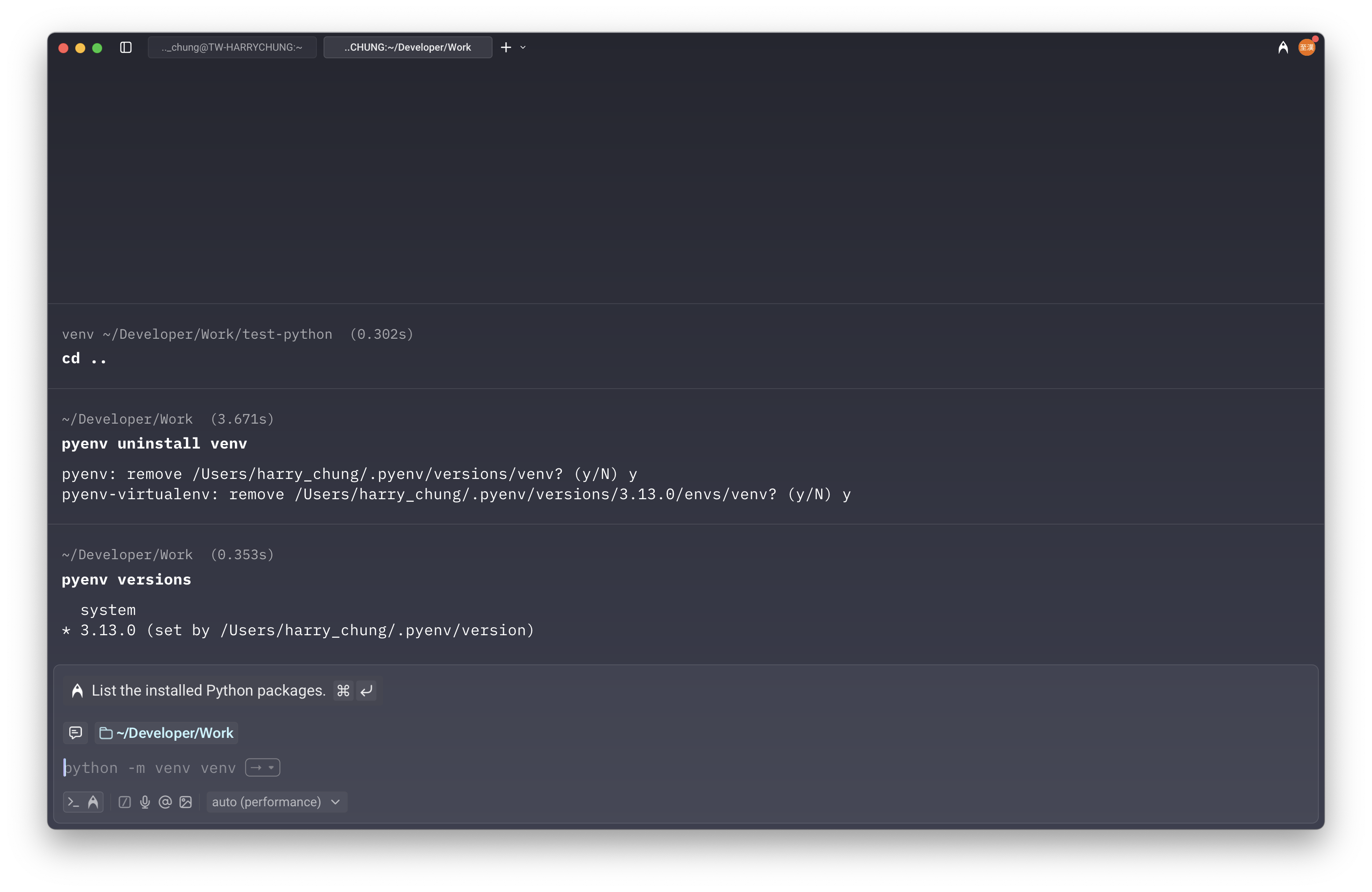
When you no longer need an environment, use pyenv uninstall to remove it and its installed packages.
WARNING
Leave any directory that uses the environment before running the command.
cd ..  # 先退出專案資料夾
pyenv uninstall venvpyenv asks for two confirmations during uninstall.
pyenv: remove .../versions/venv? (y/N)removes the shortcut.pyenv-virtualenv: remove .../3.13.0/envs/venv? (y/N)removes the environment directory.
Closing note
That's the setup I used on my new Mac. With the environment linked to the project, entering the directory is enough to activate it.