Keyboard Shortcuts for YouTube Music on macOS
Use Raycast and chrome-cli to pause a background YouTube Music PWA without interrupting the video you are watching.
 Chih-han ChungSoftware Engineer
On this page
Keyboard Shortcuts for YouTube Music on macOS
The problem
I installed YouTube Music as a PWA because I wanted a separate app on macOS. I blurred my playlist in the screenshot, which makes it look a little odd.
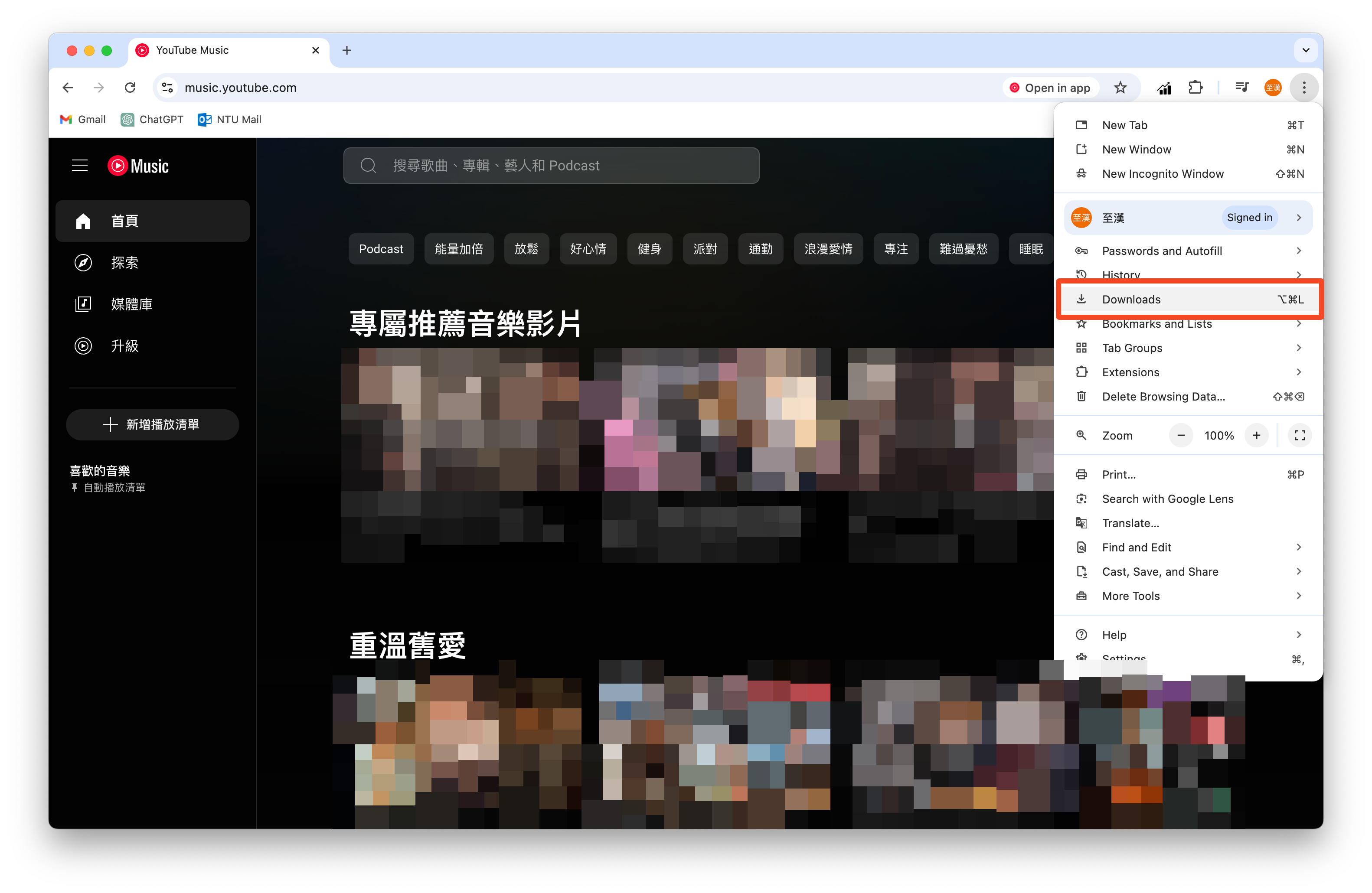
I often leave the music app playing in the background while watching a video in Arc or Chrome. The two audio streams compete. I wanted a shortcut that would pause the music without affecting the foreground video.
What I tried
- The F8 media key. It controls the current Now Playing session. A foreground YouTube video can take over that session, leaving the YouTube Music PWA playing.
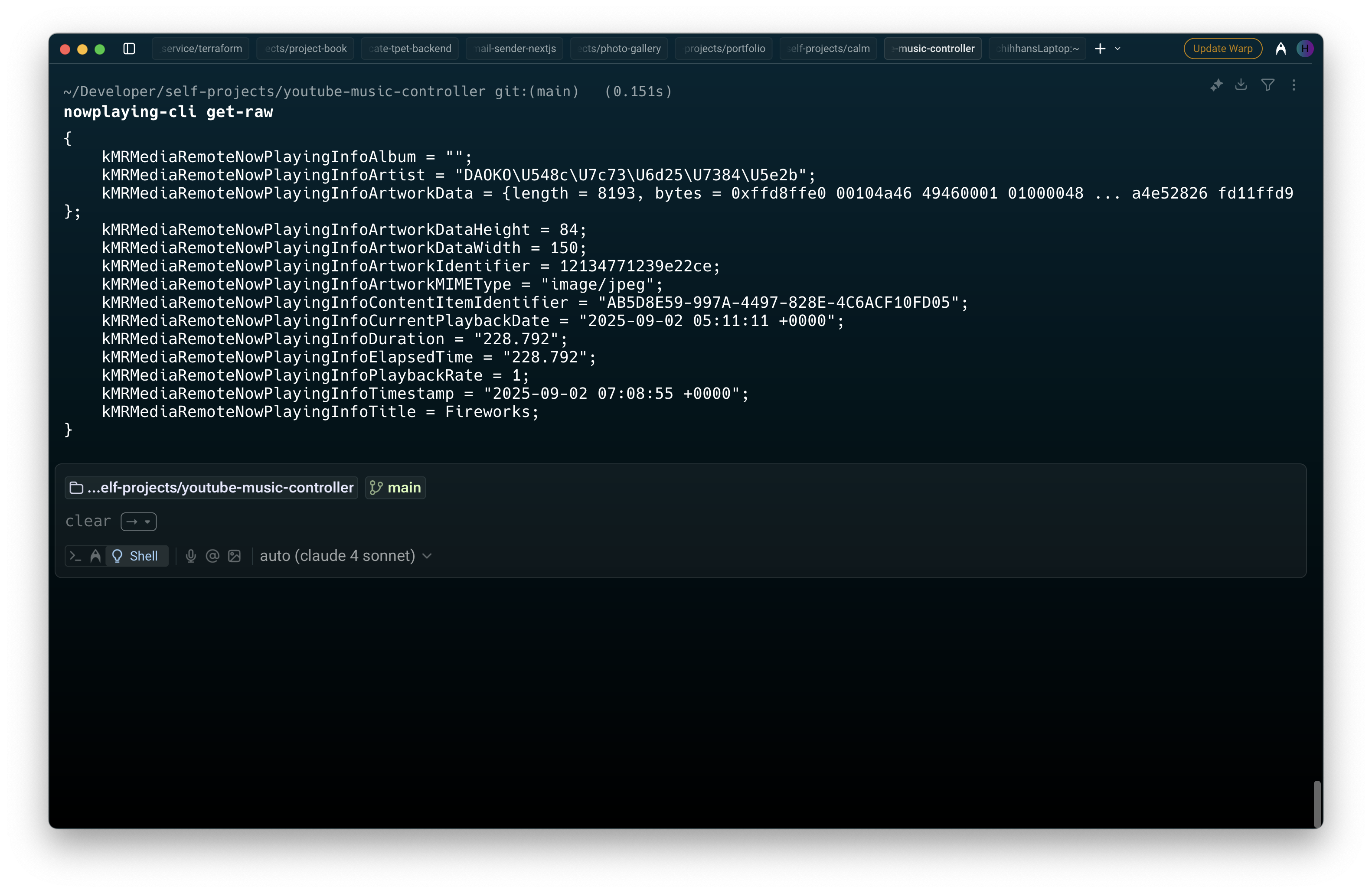
nowplaying-cli. Theget-rawcommand reports the current session. It doesn't let me pick the PWA from a list of sources.
- AppleScript with simulated keystrokes. Sending a spacebar press sometimes just made the system beep. Other versions of the script briefly had to bring the PWA to the foreground.
- The YouTube Music Raycast extension. I found an extension, but it didn't work in my setup when I tested it.
The setup that worked
Prerequisites
- Install the command-line tools with
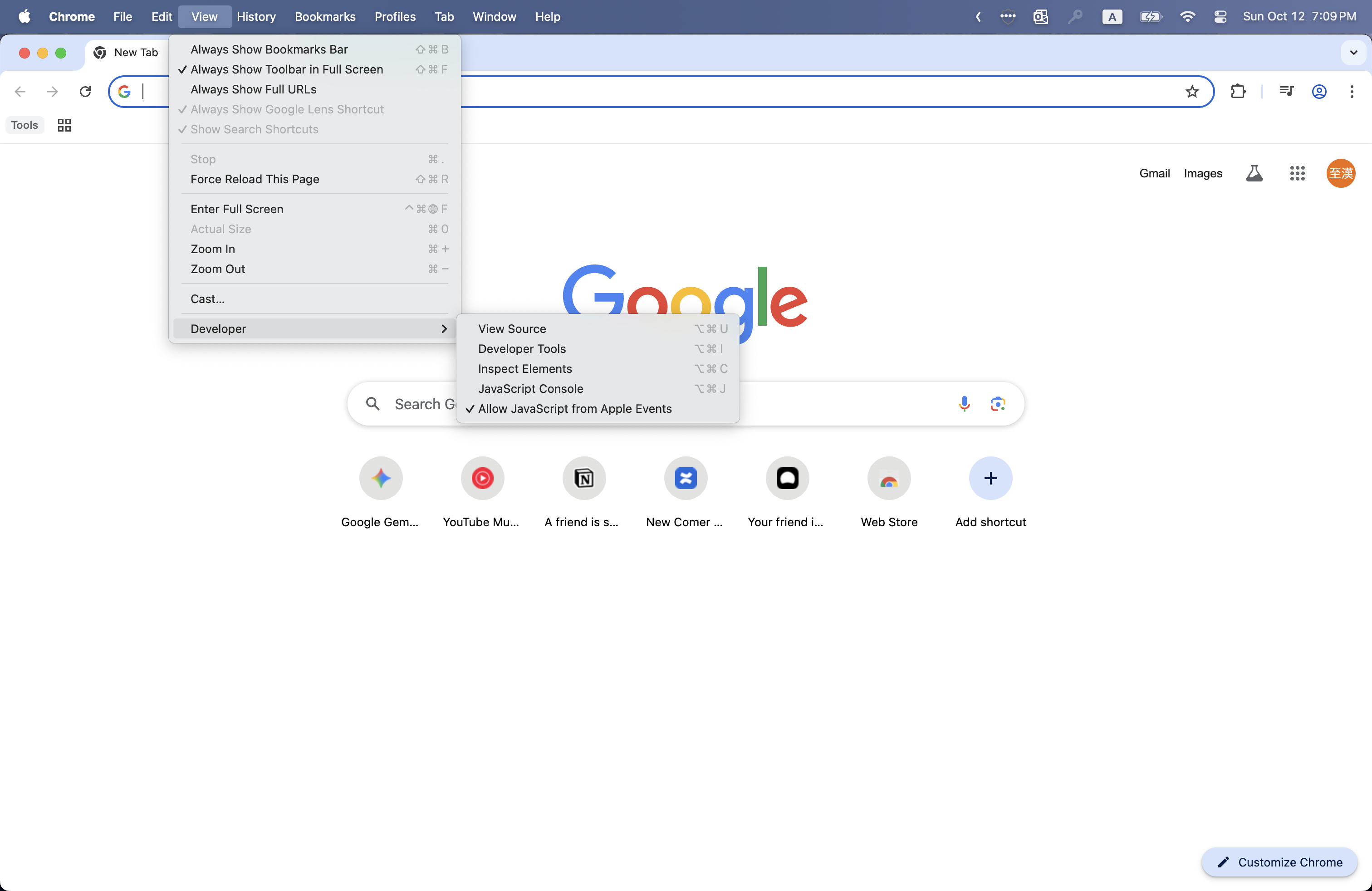
brew install chrome-cli jq. - In Chrome, go to View → Developer → Allow JavaScript from Apple Events and restart the browser.
Create a Raycast Script Command
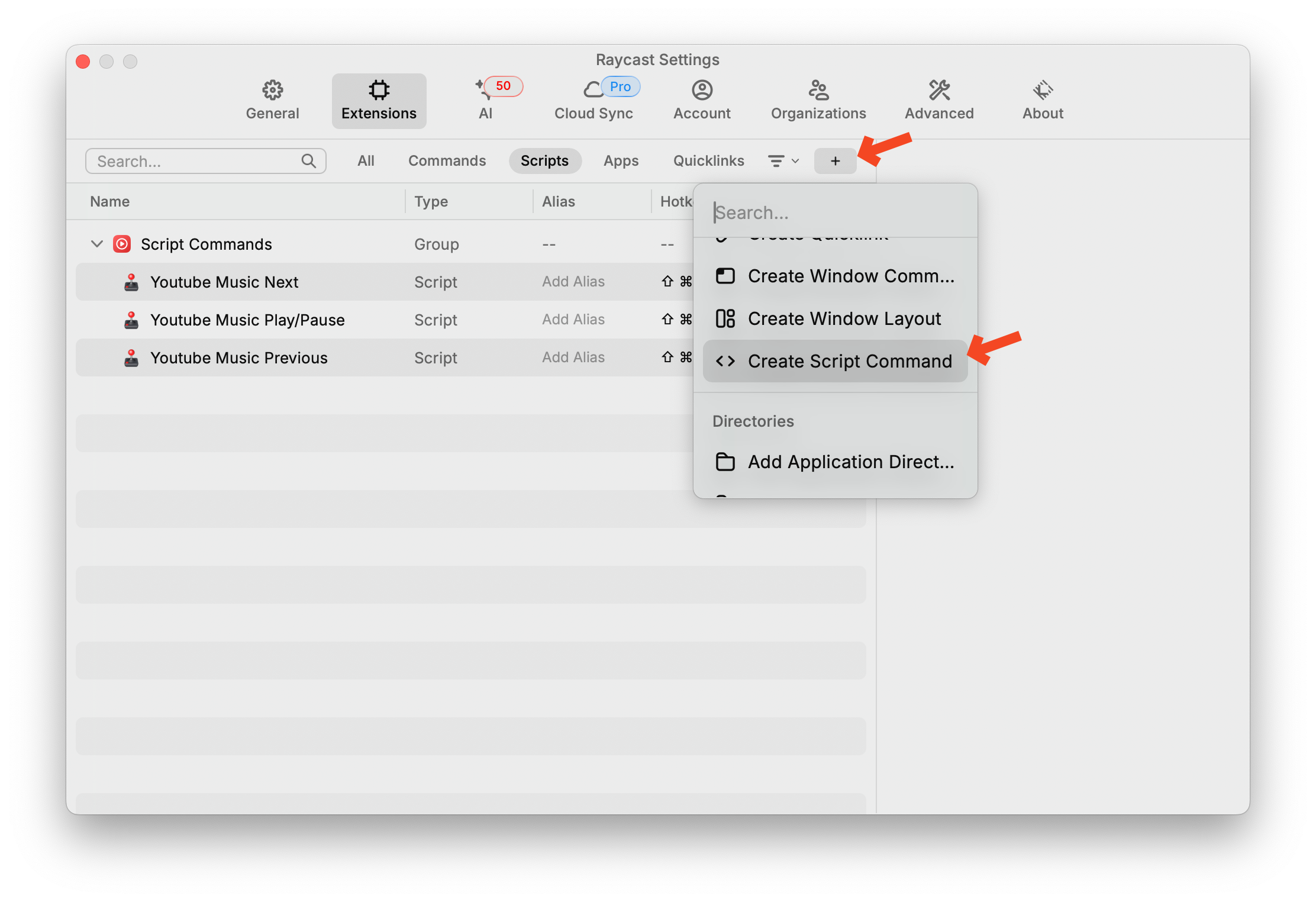
Open Raycast Settings and create a Script Command.
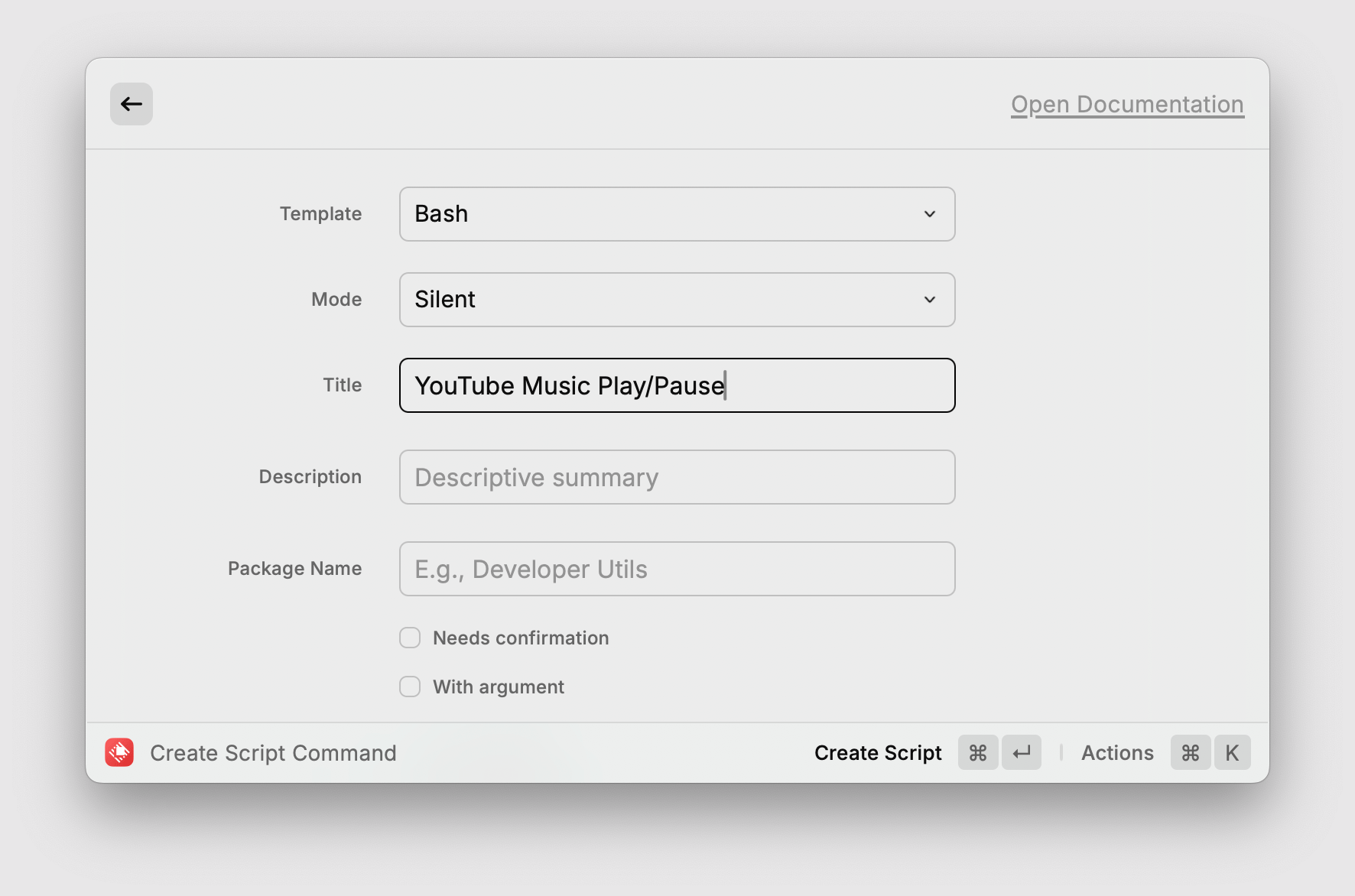
I named mine YouTube Music Play/Pause and pressed ⌘Enter to create it. You can select Silent mode here. The script sets the mode as well. Raycast will ask you to choose where to save it.
Edit the generated script
If you used the same name, the file is called youtube-music-play:pause.sh. Replace its contents with the following.
#!/bin/bash

# Required parameters:
# @raycast.schemaVersion 1
# @raycast.title Youtube Music Play/Pause
# @raycast.mode silent

# Optional parameters:
# @raycast.icon 🕹️

# Documentation:
# @raycast.author harryup2000
# @raycast.authorURL https://raycast.com/harryup2000

# Which browser PWA? (chrome-cli, brave-cli, edge-cli, arc-cli, etc.)
BIN="${BIN:-chrome-cli}"

# JavaScript snippet to toggle play/pause
JS_TOGGLE='(()=>{const c=s=>{const e=document.querySelector(s);if(e){e.click();return true}return false};
if(c("#play-pause-button"))return;
if(c("ytmusic-player-bar button.play-pause-button"))return;
const m=document.querySelector("video,audio");if(m){m.paused?m.play():m.pause();return}
const alt=[...document.querySelectorAll("button[aria-label]")].find(b=>/play|pause/i.test(b.getAttribute("aria-label")||""));
if(alt)alt.click();})();'

# Find YouTube Music tab id
TAB_ID=$(OUTPUT_FORMAT=json "$BIN" list tabs \
  | jq -r '.tabs[] | select((.url//"")|test("music\\.youtube\\.com")) | .id' | head -n1)

if [[ -z "$TAB_ID" ]]; then
  # Try to open if not found
  "$BIN" open "https://music.youtube.com"
  sleep 1.5
  TAB_ID=$(OUTPUT_FORMAT=json "$BIN" list tabs \
    | jq -r '.tabs[] | select((.url//"")|test("music\\.youtube\\.com")) | .id' | head -n1)
fi

if [[ -n "$TAB_ID" ]]; then
  "$BIN" execute "$JS_TOGGLE" -t "$TAB_ID"
  echo "▶️  Toggled YouTube Music"
else
  echo "❌ Could not find YouTube Music"
fiAssign a keyboard shortcut
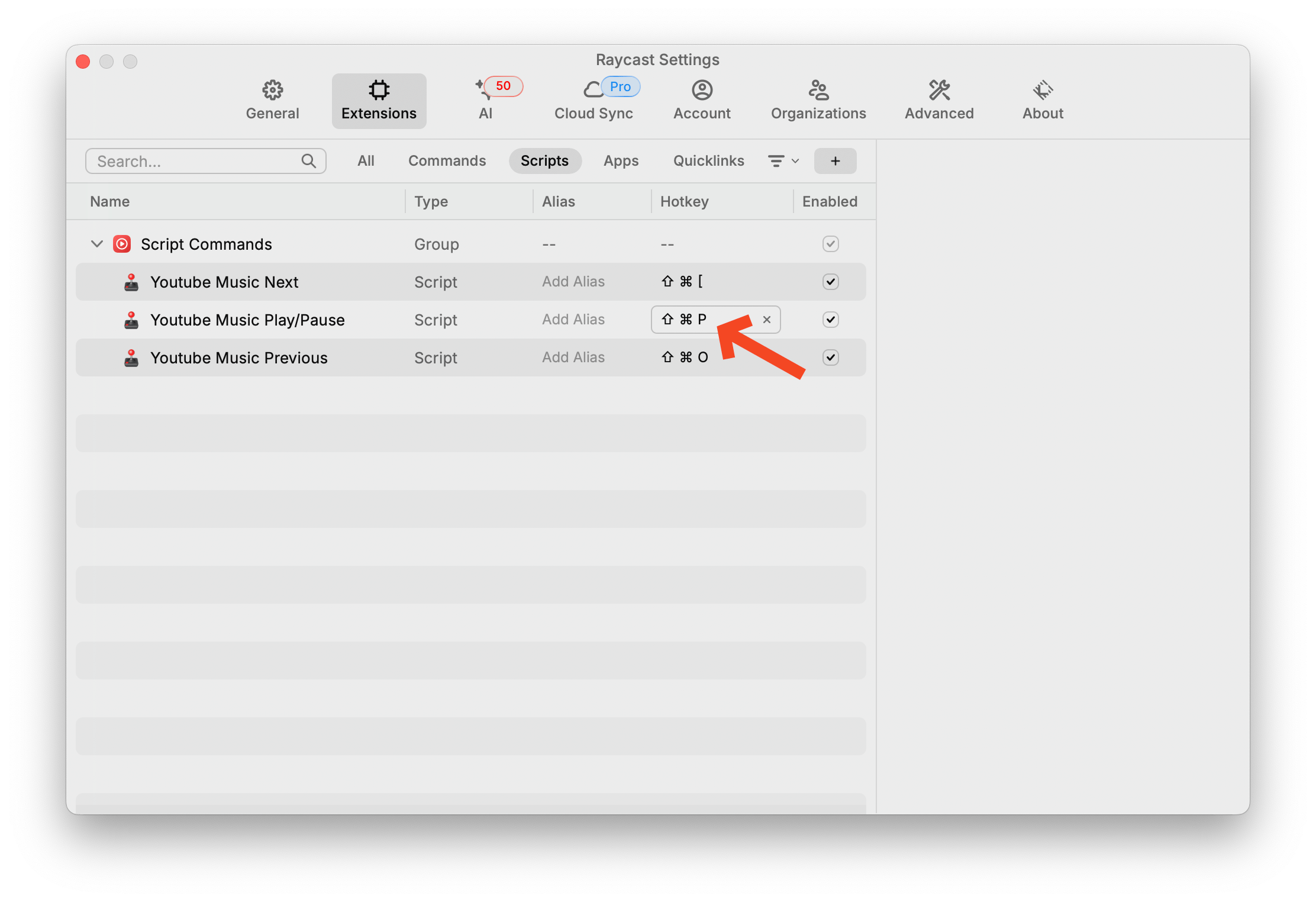
Set a shortcut for the Script Command in Raycast Settings.
Optional shortcuts
You can make commands for the previous and next track too. I put them in my YouTube Music controller repository.
Try it with a foreground video
Start a YouTube video in the browser while music is playing in the background. Press the shortcut, for example ⌥⌘P. The PWA pauses while the foreground tab stays where it is and its video keeps playing. Press the same keys to resume the music.
Common setup issues
- Enable Allow JavaScript from Apple Events and restart the browser. The script's
executecall needs this permission. - If you installed the PWA through Brave or Edge, use
BIN=brave-cliorBIN=edge-cli, respectively. - Make the Raycast script executable with
chmod +x.